
MARKETING AND SALES
The Psychology of Pricing on Shopify: Boost Sales Without Discounts
If you’re constantly discounting to
drive sales, you’re leaving profit on the table and training customers to
expect a sale before they buy. The good news: you can increase conversions
without cutting prices by applying pricing psychology how shoppers
perceive and evaluate prices, value, and trade-offs.
This in-depth guide shows you nine
proven pricing psychology tactics you can deploy in Shopify today,
complete with exact settings, page placements, and ethical
guardrails so you increase conversion and protect brand trust.
Keep this guide open while you work
through your store. Wherever relevant, I’ve added hands-on steps for Shopify
and linked to your existing tutorials so you can move fast without guesswork:
· Fix
foundational pitfalls: 10 Shopify Mistakes Beginners Make (and How to Avoid Them)
·Tune
pages to convert: The Shopify Product Page Checklist for Maximum Sales
· Layer
smart selling tactics: Shopify Sales Strategies the Top 1 of Merchants Use
1) Price Anchoring:
Make Your Price Look Like a Deal (Without a Discount)

How to implement in Shopify
(step-by-step):
- Use “Compare-at price” for real, truthful anchors. In Shopify Admin → Products → Pricing, set Compare-at price to the genuine previous price and Price to current. Shopify automatically shows the strike-through anchor next to your actual price.
- Anchor with higher-tier bundles. Create a “Premium Kit” (e.g., product + accessories) at a visibly higher price. Display it first (collection sort: Best selling or a manual pin at top). The base product will feel better-valued by comparison.
- Use
content anchors.
On product pages, add a short line above the price like: “Comparable
brands: $149 our complete kit is $119 with free returns.” (Keep
comparisons truthful and non-deceptive.)
Where to place: At the top of the
product page near the title and gallery; in collection cards; and in
kits/bundles.
Guardrails: Anchors must be authentic;
never inflate “Compare-at price.” (Shopify surfaces compare-at visually;
abusing it erodes trust and can violate consumer rules.)
2) The Decoy Effect:
Steer Choice Toward Your Most Profitable Offer
What it is: Present a third, intentionally inferior option (the
“decoy”) to nudge shoppers toward the plan or bundle you actually want them to
buy. Shopify itself explains this strategy for merchants.
Shopify setup:
- Create
three options
on a product or pricing page:
Basic (just the core
product)
Decoy (priced close to
Premium but obviously worse value e.g., fewer refills or shorter warranty)
Premium/Best Value (your target;
include meaningful extras)
- Visual
emphasis:
In your theme customizer, add a “Best Value” badge to the Premium
card. Put the decoy directly next to it so the contrast is obvious.
- Bundles
app (optional):
Use a bundles app to generate the three offers as variants or separate
bundle SKUs so inventory/Merch is clean.
Where to place: Above the fold
on product pages as a “Choose your kit” section; also on a dedicated “Plans
& Bundles” page linked in navigation.
Guardrails: The decoy must be a real,
purchasable package (not fake scarcity or fake features).
3) Charm Pricing: Why
$49 Works Better Than $50

Shopify setup:
- Standardize
your retail prices ending in .99 (or .95 for a slightly more
premium read).
- For
premium/luxury lines, test rounded prices ($150) to signal
quality instead of deal-hunting.
- Apply
price endings consistently across collections to reduce cognitive
friction.
Where to place: Everywhere prices
display collections, PDPs, carts, email offers.
Guardrails: Test by category. If
your brand is luxury, charm pricing can backfire; rounded pricing may perform
better.
4) Free-Shipping
Thresholds: Turn “Shipping Pain” into a Profit Lever
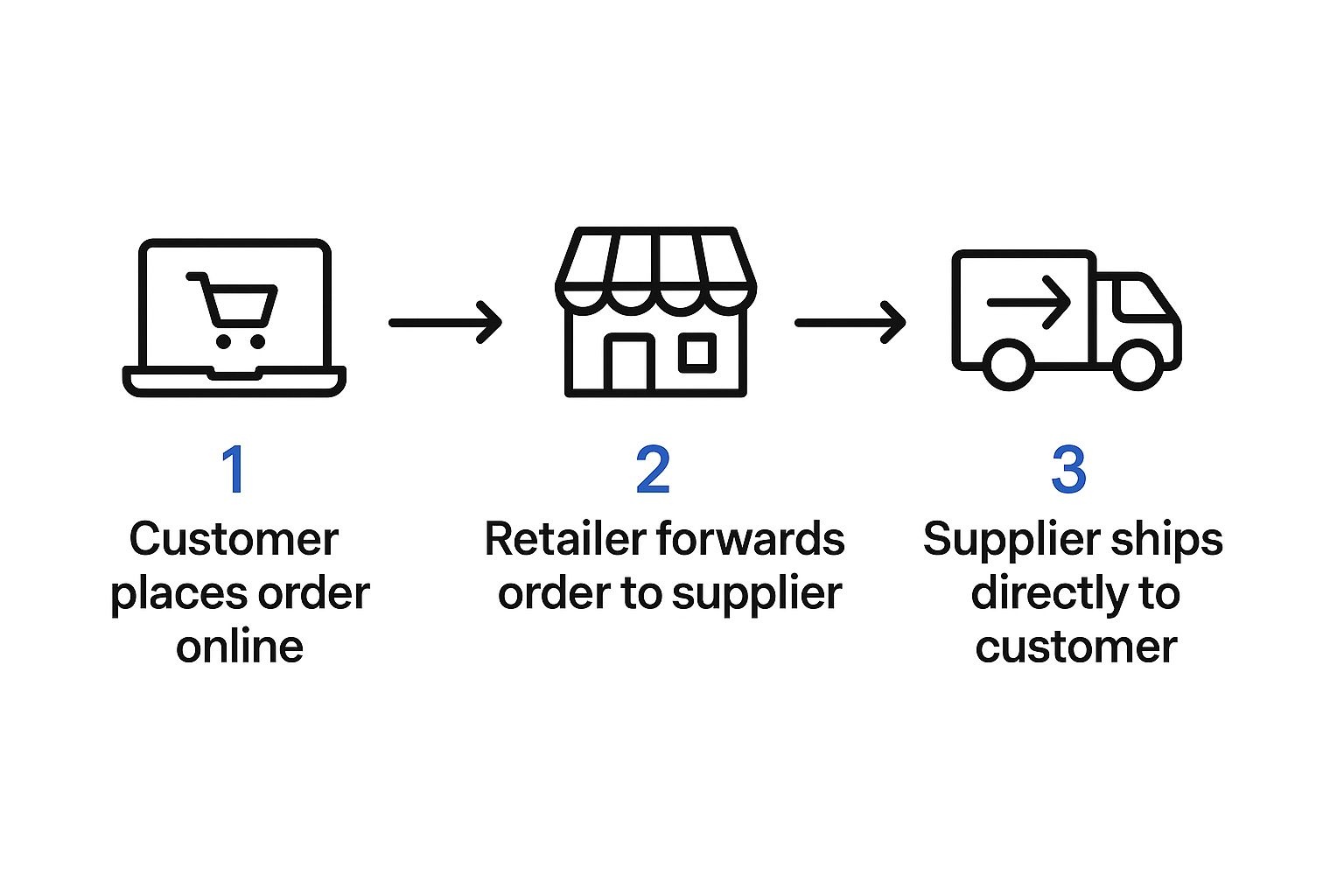
Shopify setup (two parts):
- Set
the threshold:
In Settings → Shipping and
delivery,
create a free shipping rate that applies at, say, $75+ order
value.
- Make
progress visible: Add a dynamic free-shipping bar (“$18 away from
Free Shipping”) in header and cart drawer so shoppers see how close
they are. Many themes or lightweight apps support this.
Where to place: Header, mini-cart/cart
drawer, and checkout info (Shopify Plus can customize checkout
content).
Bonus tactic: If margins are tight
due to tariffs/carrier hikes, you can raise the threshold without
removing free shipping entirely; many retailers have done this in 2024–2025 to
balance CX and costs. Test carefully, as removing free shipping can depress
conversion. (New York Post, Wall Street Journal)
5) Partitioned vs.
All-In Pricing: When to Split Fees
What it is: Partitioned
pricing shows a lower base price plus separate fees (e.g., shipping), while
combined pricing bundles everything into one. Research suggests
effectiveness can depend on context (product type, shopper mood, expectations).
(ScienceDirect)
Shopify setup:
- If
you sell value-sensitive items with competitive product prices, partitioned
(base price + shipping shown later) may attract clicks—but mitigate
surprise with a clear shipping calculator on the cart page.
- If
you sell higher-consideration goods, combined pricing (e.g.,
“Free Shipping” baked into the ticket) simplifies decisions and can feel
more premium.
Where to place: PDP (estimated
shipping), cart/mini-cart, and shipping snippets under the price.
Guardrails: If you partition, avoid
hidden fees; disclose early to prevent cart shock and returns.
6) Scarcity &
Urgency: Ethical Nudges that Prevent Procrastination

What it is: Scarcity (“Only 3
left”) and urgency (“Offer ends tonight”) tap into FOMO and the fear of missing
out—powerful but potentially trust-eroding if faked. Use real
inventory and real deadlines only. Evidence shows they can lift
conversions, but overuse reduces impact and credibility. (Invesp, Smart Insights, Crazy Egg)
Shopify setup:
- Low-stock
indicator:
Show true inventory badges when quantities < 10 (theme sections or
lightweight scripts).
- Genuine
deadline banners:
For launches or shipping cut-offs (“Order in 03:12:45 for same-day
dispatch”). Tie to your warehouse SLA.
- Preorder/Back-in-stock workflows: If
items sell out, capture emails don’t pretend “1 left” forever.
Where to place: Near the
price/CTA on PDPs, hero banners, cart drawer.
Guardrails: Never simulate fake
buyers (“James in TX just purchased”) unless it’s verifiably true. Long-term
trust > short-term lift.
7) Choice
Architecture: Reduce Friction and Analysis Paralysis
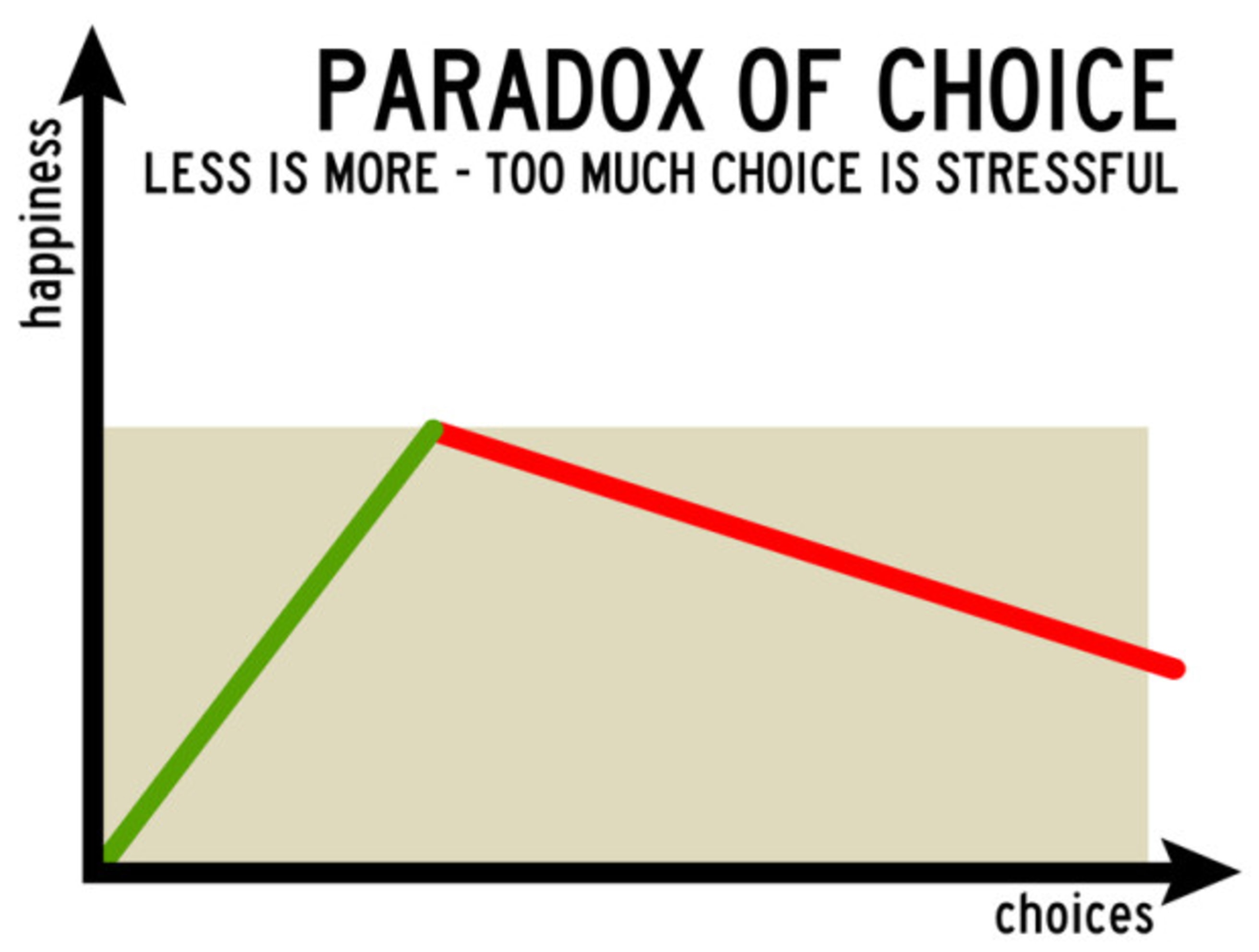
What it is: Too many options
reduce purchases choice overload famously cut conversions in the “jam
study.” Curating and defaulting smartly can raise sales. (UW Faculty, Medium)
Shopify setup:
- Default
the most popular variant (size/color) in the product form
so the “Add to Cart” button is immediately active.
- Limit
visible options:
Collapse secondary variants or provide a guided quiz for complex
catalogs.
- Curate
collections:
Feature 6–12 best sellers per collection page; push long tails to
filters/search.
Where to place: Variant selectors,
collection templates, navigation.
Our Product Page Checklist article teaches you imagery, CTAs,
and trust elements that make these choices faster.
8) Versioning &
Tiered Pricing: Let Shoppers Trade Up Themselves

What it is: Offer Good /
Better / Best versions so buyers self-select based on value sensitivity.
This combines anchoring + decoys + bundling into a simple path to higher AOV.
Shopify setup:
- Create
3 tiers
as variants or separate SKUs (e.g., Basic bottle, Insulated bottle,
Insulated bottle + straw + brush).
- Highlight
the middle tier as “Most Popular” if it has your best
margin/reviews.
- In
the comparison table, emphasize benefits (hours cold, warranty) not
just features.
Where to place: PDP comparison
blocks, a dedicated “Compare” or “Kits” page, and collection cards.
Guardrails: Tiers must be
genuinely different (quality, capacity, extras); don’t invent fake
differentiation.
9) Framing &
Copy: Sell the Outcome, Not the Object
What it is: The same price feels
different depending on framing. “$0.50/day” often feels lighter than “$15/month,”
and “Ships free over $75” reframes cart growth as a win.
Shopify setup:
- Microcopy near price: Add a line under price (“Hassle-free 30-day returns,” “Lifetime warranty”).
- Per-use
math:
For consumables/subscriptions, add “About $0.43 per brew” in the features
list.
- Threshold
framing:
Next to cart subtotal in the drawer: “Just $12 away from Free Shipping.”
Read Shopify Sales Strategies the Top 1 of Merchants Use
for persuasive copy patterns you can plug into your PDPs and emails.
10) Putting It All
Together: A Step-By-Step Price Psychology Launch Plan

Phase A Foundation (15 minutes)
- Standardize
price endings (decide on .99 vs rounded by category).
- Decide
your free shipping threshold (model it against margin). Set the
rate and turn on a progress bar in header/cart. (Ecommerce Shipping Blog)
Phase B PDP Wins (25 minutes)
- Add
an authentic anchor with Compare-at (if applicable). (Shopify
Help Center)
- Create
Good / Better / Best versions or a Premium kit (your
intended target).
- Add
low-stock (real) and a delivery message (“Order by 2pm for same-day
dispatch”). (Invesp)
- Insert
microcopy framing benefits under the price.
While you’re here, run your PDP against
the Product Page Checklist to ensure images,
CTAs, and SEO are on point.
Phase C Collections & Navigation
(20 minutes)
- Curate
6–12 products per hero collection; pin the Premium bundle
first to anchor value.
- Simplify
filters; default sort to Best-selling to surface social proof.
- Add
a top-nav item: “Kits & Bundles (Save More)” to channel
attention to your anchored offers.
11) Testing &
Measurement: Know What Actually Moved the Needle
What to track in Shopify Analytics:
- Conversion
rate
(sitewide and PDP)
- Average
order value (AOV)
- Cart
abandonment
and shipping step drop-off
- Variant/bundle
mix
(% choosing Basic Vs Premium)
Simple test ideas (2–3 weeks each):
- Price endings: A/B test .99 vs rounded on a non-luxury collection. (NetSuite)
- Thresholds: $60 vs $75 free shipping (watch AOV and margin). (Ecommerce Shipping Blog)
- Decoy
vs no decoy:
Measure Premium take-rate and contribution margin. (Shopify)
Tip: If you change thresholds due to rising
logistics costs, communicate clearly: “We’re keeping free shipping now on
orders $95+ so we can maintain fast, tracked delivery.” This protects trust
while adapting to macro costs. (New York Post, Wall Street Journal)
12) Ethical Pricing:
Win Long-Term Trust (and Repeat Customers)
Pricing psychology is powerful used
well, it clarifies value and reduces friction. Misused (fake
timers, deceptive anchors), it destroys credibility. Follow these rules:
- Truthful
anchoring only.
Use Compare-at for genuine prior prices. (Shopify
Help Center)
- Real
scarcity only.
If stock isn’t low, don’t say it is. (Invesp)
- Transparent
fees.
If you partition price, disclose early and clearly. (ScienceDirect)
- Respect
brand positioning. Luxury may prefer rounded pricing; value lines can
lean on charm pricing. (NetSuite)
13) Common Pitfalls
(and Quick Fixes)
- Random,
inconsistent price endings
Fix: Pick a standard per
collection (.99 or rounded) and update in bulk.
- Fake
“Compare-at” prices
Fix: Remove or update to
a legitimate prior price. It’s better to anchor with bundles or Good/Better/Best
if you don’t run sales. (Shopify Help
Center)
- Too
many options on PDPs
Fix: Default the most
popular variant; move less-popular options behind a “More choices” link; rely
on a quiz or guide. (UW Faculty)
- Hiding
shipping until checkout (surprise fees →
abandonment)
Fix: Show a shipping
estimator or free-shipping bar soon after cart opens. Test combined vs
partitioned based on your niche. (ScienceDirect)
Final Thoughts

You don’t need endless discounts to
sell more on Shopify. By anchoring value, shaping choices, framing benefits,
and removing shipping friction, you increase conversions while protecting
margin. Start with Compare-at (authentic anchors), free-shipping
thresholds with a progress bar, and a three-tier bundle strategy.
Then test charm pricing and choice curation to see what moves your numbers in
Shopify Analytics.
And remember pricing psychology isn’t trickery when used ethically; it’s clearer communication of value. Do it right, and customers will feel more confident buying from you at full price.
Are you now ready to level up your Shopify store? bookmark this tab and apply what you've learnt. Check back for more real and working tips for your Shopify store, Comment and follow us by submitting your email for any new articles that will help your ecommerce business grow. Thank you.






0 Comments
We are happy to see your feedback