
STORE OPTIMIZATION
Optimizing Shopify Collections for Higher Conversions
Your Shopify store’s collections
act like the aisles of a physical shop. They organize products, guide shoppers
to what they’re looking for, and encourage them to discover items they might
not have considered. But here’s the truth: simply creating collections isn’t
enough. If your collections aren’t properly optimized, customers can get
frustrated, leave your store, and buy from a competitor instead.
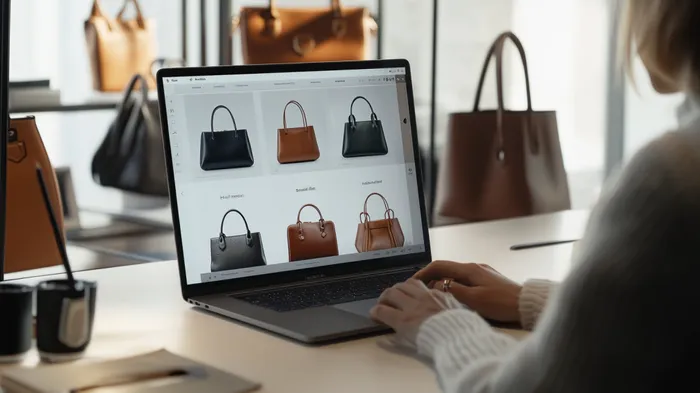
Imagine
walking into a physical store where products are randomly scattered without
proper aisles or sections. You’d probably get frustrated, struggle to find what
you’re looking for, and leave without buying anything. The same logic applies
to your Shopify store
collections. They’re not just simple categories they act as digital aisles that guide customers through your store,
create order, and inspire purchases.

Collections play a critical role in shaping how customers experience your brand online. A well-structured collection helps visitors quickly discover relevant products, keeps them browsing longer, and builds confidence in your store’s professionalism. On the other hand, poorly optimized collections can overwhelm or confuse shoppers, leading to abandoned carts, lost sales, and missed opportunities for brand loyalty.
But
here’s the good news: with thoughtful optimization, your collections can become
one of the most powerful tools for boosting
conversions and driving long-term growth. From SEO-friendly
descriptions that attract organic traffic, to intuitive filters that make
product discovery seamless, to cross-selling strategies that increase average
order value, the possibilities are endless.

This article will walk you step-by-step through
practical, actionable strategies to transform your Shopify collections into conversion-focused sales engines.
Whether you’re just starting out or already running an established Shopify
store, these techniques will help you maximize the value of your collections
and turn casual browsers into loyal buyers.
Why Optimizing
Collections Matters
- Better
navigation
→ Customers find what they need
faster.
- Improved
SEO
→ Collections pages often rank well
in Google.
- Increased
conversions
→ A smooth shopping experience
encourages purchases.
- Higher
average order value (AOV) → Customers
discover related products more easily.
A well-structured collection is more
than just a category, it’s a sales
funnel in disguise.
Step 1: Create
Collections Based on Customer Intent
The biggest mistake many store owners
make is creating collections that make sense to them but not to the customer. Instead of
organizing only by product type, think in terms of:
- Occasion-based
collections
(e.g., “Back-to-School Essentials,” “Holiday Gift Ideas”)
- Problem-solving
collections
(e.g., “Skincare for Acne,” “Home Office Productivity Tools”)
- Lifestyle-based
collections
(e.g., “Minimalist Living,” “Outdoor Adventure Gear”)
Tip: Use Shopify’s Automated Collections to tag products
dynamically so your collections stay updated without manual work.
Step 2: Write
SEO-Optimized Collection Descriptions
Your collection page isn’t just a list
of products, it’s an SEO asset.
Write keyword-rich descriptions that explain what the collection is about and
why customers should explore it.
For example:
Instead of just naming a collection “Sneakers,” optimize it with a description
like: “Shop our collection of comfortable and stylish sneakers, perfect for
everyday wear, running, or casual outings. From lightweight trainers to premium
lifestyle kicks, find sneakers that match your style and performance needs.”
This improves your chances of ranking
on Google while making the page more engaging for customers.
Step 3: Use
High-Quality Featured Images
Your collection banner or featured
image sets the tone for the entire browsing experience. Make sure it’s:
- Clear
and professional
- Relevant
to the collection theme
- Optimized
for fast loading (compressed without losing quality)
Tip: Use consistent
styling across all collection images so your store feels polished and branded.
Step 4: Optimize
Filters and Sorting Options
One of the biggest conversion killers
is making customers scroll endlessly
without finding what they need. Add filters such as:
- Size
- Color
- Price
range
- Material
/ type
And include sorting options like:
- Bestselling
- New
arrivals
- Price
(low to high / high to low)
- Customer
ratings
This improves user experience
dramatically and helps reduce bounce rates.
Step 5: Leverage
Cross-Selling in Collections
Collections are the perfect place for subtle cross-sells.
Add product recommendations like:
- “Frequently
bought together”
- “Complete
the look”
- “You
might also like”
This keeps customers browsing and increases
AOV without being pushy.
Step 6: Optimize for
Mobile First
Most Shopify traffic now comes from mobile
devices, so your collections must be:
- Easy
to navigate with touch
- Cleanly
displayed with fewer items per row
- Quick
to load (optimize images and minimize scripts)
Test your collections on multiple
devices to ensure a smooth experience.
Step 7: Track
Collection Page Performance
Finally, use Shopify Analytics
and Google Analytics to monitor:
- Bounce
rate
- Conversion
rate
- Average
time spent on collection pages
- Popular
vs. underperforming collections
This data will show you which
collections need improvement and which are already working.
Conclusion
Collections are much more than digital
“categories” they are conversion engines when optimized properly. By
structuring your Shopify collections around customer intent, enhancing them
with SEO-friendly descriptions, and making navigation seamless, you create a
browsing experience that feels effortless. And when shopping feels effortless,
customers naturally spend more time in your store, discover more products, and
complete more purchases.
Don’t underestimate the impact of small
changes, like adding filters or writing stronger collection descriptions. These
tweaks can transform your collections from being mere product groupings into high-performing sales funnels.
In the long run, optimized collections don’t just boost conversions they build brand trust. Customers will remember how easy it was to find what they wanted in your store and will return again and again, choosing you over competitors.
If you want your Shopify store to grow
steadily, start optimizing your collections today. Treat them as a core part of your sales strategy, and
you’ll see how powerful they can become in driving both short-term conversions and
long-term customer loyalty.

Your
Shopify collections are more than just a way to group products they’re an
essential customer
journey touchpoint that can make or break the shopping
experience. Optimized correctly, collections act as a bridge between discovery
and purchase, helping customers navigate effortlessly while subtly encouraging
them to explore more of what you offer.
Think
of each collection as a silent salesperson. A strong description highlights the
value of the products, filters and sorting options remove friction, and
cross-selling features gently guide customers toward higher-value purchases.
The result? Customers who feel understood, cared for, and motivated to buy.
 |
How to Optimize Your Collection Pages For Your Shopify Ecommerce Store (Full Guide)
Ultimately,
customers will always remember how easy (or difficult) it was to shop in your
store. When your collections are organized, visually appealing, and tailored to
their needs, you position your Shopify store as not just another online shop,
but as a brand they can trust and return to repeatedly.
So don’t let your collections remain passive product lists. Treat them as strategic assets. Optimize them today, and watch them evolve into one of the most reliable growth drivers for your Shopify business.
Are you now ready to level up your Shopify store? bookmark this tab and apply what you've learnt. Check back for more real and working tips for your Shopify store, Comment and follow us by submitting your email for any new articles that will help your ecommerce business grow. Thank you.






0 Comments
We are happy to see your feedback