
SHOPIFY SETUP
 |
How to Create Product Collections on Your Shopify Store (2025) |
When customers land on your Shopify
store, the way your products are organized determines how easily they find what
they want and how quickly they make a purchase. Think of collections as the
digital equivalent of neat aisles in a physical store. Without them, your store
becomes cluttered, overwhelming, and less likely to convert. That’s why setting
up Shopify collections correctly isn’t just about aesthetics; it’s a sales
strategy that boosts customer experience and revenue.

In this guide, we’ll break down
everything you need to know about Shopify collections setup, from
automatic vs. manual collections, to optimization strategies that improve
navigation, SEO, and conversions.
When
you walk into a well-arranged physical store, you instantly notice how easy it
is to find what you’re looking for. Products are neatly grouped together
clothing in one aisle, accessories in another, and seasonal deals in a
highlighted section. This sense of order doesn’t happen by accident; it’s
intentional and designed to make shopping simple, fast, and enjoyable. The same
principle applies to your Shopify store, and that’s where collections come in.

In
today’s competitive eCommerce landscape, customers expect structure, speed, and
convenience. A cluttered store can cost you sales, while a thoughtfully
organized one keeps customers engaged and improves conversions. In this
article, we’ll walk through how to set up Shopify collections the right way, the
difference between manual and automated collections, optimization techniques
that attract buyers, and common mistakes to avoid. By the end, you’ll know how
to make your store feel professional, trustworthy, and customer-friendly just
like the top-performing Shopify merchants do.
What Are Shopify
Collections?
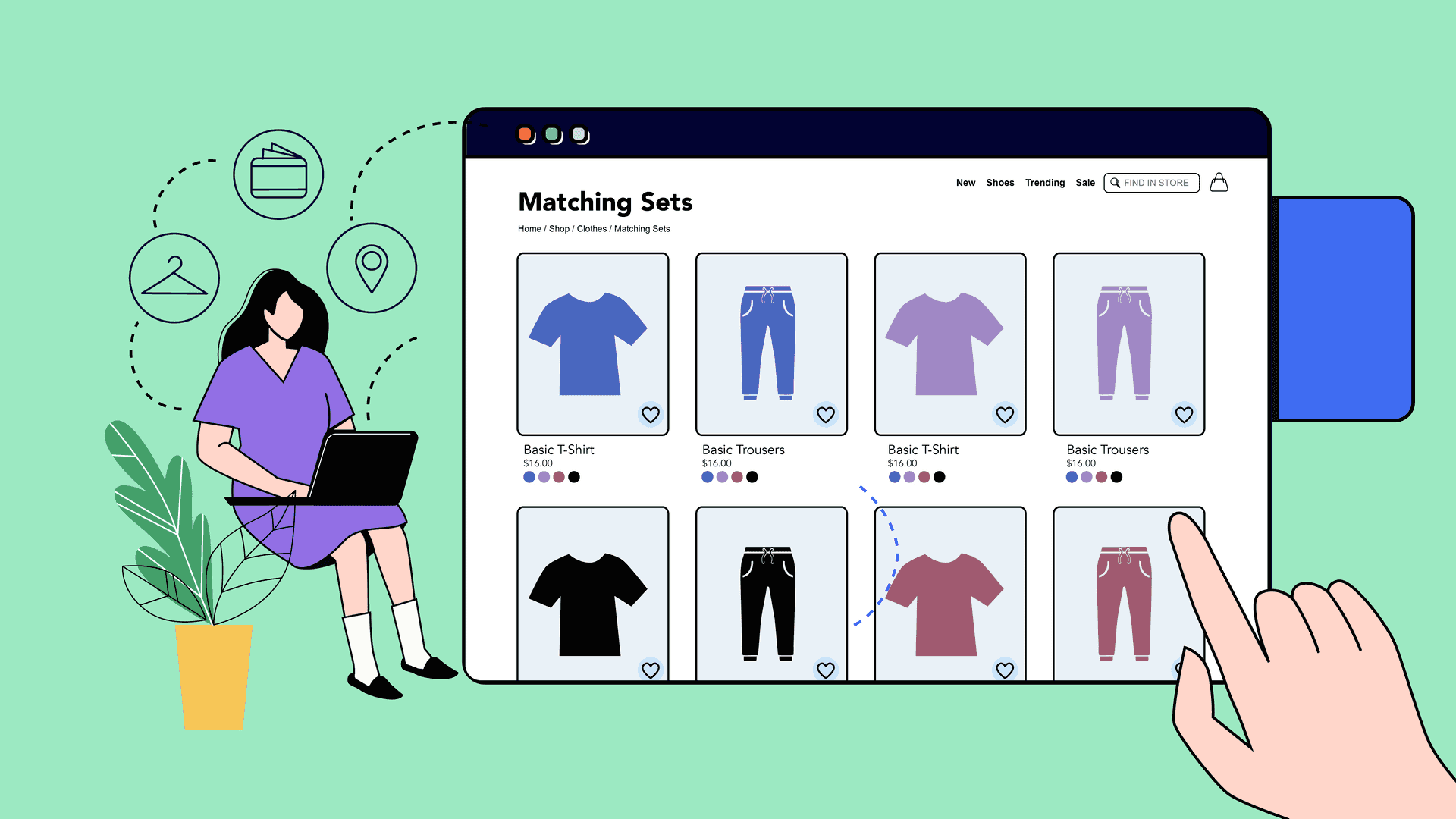
Shopify collections are groups of
products you organize together to make it easier for customers to shop. Instead
of browsing through endless items, collections let customers jump straight to
what they’re interested in.
Examples of collections include:
- Men’s
Shoes
- Bestsellers
- Under
$50 Deals
- New
Arrivals
- Holiday Specials
Types of Shopify
Collections

Shopify allows you to set up
collections in two ways:
- You
handpick the products to include.
- Great
for seasonal promotions, “Editor’s Choice,” or “Staff Picks.”
- Requires
manual updates when you add/remove items.
2. Automated
Collections
- Products
are automatically added based on conditions like tags, titles, vendor,
price, or inventory.
- Example:
All items tagged with “Summer 2025” will appear in the “Summer
Collection.”
- Saves time for stores with large inventories.
Step-by-Step Guide: Setting Up Shopify Collections
Here’s how to create collections in
Shopify:
- Login
to Shopify Admin
→ Go to Products >
Collections.
- Click
"Create Collection."
- Add
a Collection Title & Description.
- Use
SEO-friendly keywords. Example: “Eco-Friendly Home Essentials” instead of
“Home Stuff.”
- Choose
Collection Type:
- Manual
or Automated (set conditions like product tags, price, vendor, etc.).
- Add
Collection Image.
- Use
professional, on-brand images to make collections visually appealing.
- Set
Collection Availability.
- Decide
whether it’s visible in your online store, POS, or other sales channels.
- Save
Collection.
- Add
Products.
- For
manual: pick items individually.
- For
automated: ensure products are tagged/labeled correctly.
How to Optimize
Shopify Collections for Conversions

Creating collections is the first
step but optimizing them is where the money is made.
1. Use Clear &
Descriptive Names
- “Men’s
Running Shoes” is better than “Collection 1.”
2. Add SEO-Friendly Descriptions
- Use
primary keywords in your collection description (e.g., Shop
eco-friendly kitchenware made from sustainable bamboo).
3. Optimize
Collection Images
- Use
lifestyle images showing products in action to create desire.
4. Enable Sorting
& Filters
- Allow
customers to filter by price, size, or color.
- Make
shopping intuitive and frustration-free.
5. Feature
Collections on Homepage
- Highlight
“Bestsellers” or “New Arrivals” to guide customers.
6. Use Cross-Selling
in Collections
- Example: In “Yoga Essentials,” showcase mats + blocks + water bottles together.
Pro Tips for Advanced
Collection Strategies
- Seasonal
& Trend-Based Collections: Create collections around events
like Back-to-School, Christmas, or Summer Sale.
- Bundle
Collections:
Offer discounts when customers buy items from the same collection.
- Dynamic
Tags & Automation: Use consistent tags to auto-populate collections
(e.g., tagging products with “New2025” automatically adds them to
“New Arrivals”).
- Collection-Based Marketing Campaigns: Run email and ad campaigns centered around specific collections.
Common Mistakes to
Avoid
·
Using
generic collection names like “Products”
·
Forgetting
to update seasonal collections
·
Not
optimizing descriptions for SEO
·
Overloading
collections with too many items
·
Neglecting
collection images
Conclusion

If you treat your collections like curated experiences rather than simple product groups, you’ll notice customers staying longer, exploring more, and most importantly buying more.
Your
Shopify collections are not just about tidiness; they are about strategy, storytelling, and sales.
When done right, collections create a shopping environment that feels curated,
relevant, and appealing to your audience. They help customers find what they
need faster, discover related products they didn’t plan to buy, and build trust
in your store’s professionalism.
Whether
you’re just starting with a few items or running a large inventory, the
principles remain the same: name your collections clearly, optimize them for
SEO, use high-quality visuals, and update them regularly. Don’t think of
collections as “just another Shopify feature.” Think of them as your digital store layout the framework that guides customers
from curiosity to checkout.
Remember: online shopping is all about experience. When your customers feel that your store is intuitive, clean, and easy to navigate, they’re far more likely to stay, explore, and buy. So take a step today: review your current collections, refine them, and watch how a well-organized store transforms casual visitors into loyal customers.
Are you now ready to level up your Shopify store? bookmark this tab and apply what you've learnt. Check back for more real and working tips for your Shopify store, Comment and follow us by submitting your email for any new articles that will help your ecommerce business grow. Thank you.






0 Comments
We are happy to see your feedback