
STORE OPTIMIZATION

How to Optimize Shopify Images for Speed and SEO.
Images are at the heart of every
Shopify store. They showcase your products, inspire your customers, and
communicate your brand’s personality. But here’s the catch: un-optimized
images are one of the biggest culprits behind slow-loading Shopify stores.
And a slow store means lower conversions, frustrated visitors, and lost sales.
On top of that, search engines like
Google rely on properly optimized images complete with alt text, file names,
and structured data to understand what your store is about. Neglecting image
SEO means you’re leaving free traffic and higher rankings on the table.

In
today’s fast-paced eCommerce world, speed and visibility are everything. A
slow-loading Shopify store or poorly optimized product images can mean the
difference between a sale and a bounce. Think about it; when a shopper lands on
your store, they make judgments in seconds. If your site loads sluggishly or
the images look blurry, unprofessional, or untrustworthy, they’re likely to
click away and shop somewhere else. On the other hand, crisp, high-quality
visuals that load quickly not only build trust but also directly boost
conversions.
Images
are the backbone of every Shopify store. They showcase your products,
communicate quality, and create the emotional spark that drives customers to
purchase. But the same images that help you sell can also work against you if
they’re too large, improperly formatted, or not optimized for search engines.
Google has made it clear: site speed is a ranking factor, and un-optimized
images are one of the leading culprits for slow websites. That means optimizing
your images doesn’t just help with user experience it also improves your SEO
and organic visibility.
When
merchants think about optimization, they often focus on themes, apps, or
marketing campaigns. Yet, image optimization remains one of the most overlooked
strategies that delivers massive results with minimal cost. By reducing image
file sizes without losing quality, adding descriptive alt text, and
implementing advanced techniques like next-gen formats (WebP/AVIF), lazy
loading, and structured naming conventions, you can significantly improve site performance
while also climbing higher in Google rankings.
Another
key aspect is accessibility and inclusivity. Properly optimized images with
descriptive alt text don’t just serve SEO they also make your store accessible
to visually impaired shoppers who rely on screen readers. This improves user
experience across the board while also protecting you from compliance issues.
Whether
you’re just launching your Shopify store or running a six-figure business,
mastering image optimization is essential for scaling. The best part? Unlike
other complex technical fixes, image optimization is relatively simple once you
know the right steps and tools. Small changes compound over time, leading to
faster loading, better rankings, and a more professional store presence.

In
this article, we’ll break down a step-by-step Shopify image optimization
checklist designed for both speed and SEO. From choosing the right file formats
to implementing Shopify apps that automate optimization, you’ll learn how to
transform your visuals into high-performing assets. By the end, you’ll not only
know how to reduce bounce rates and increase conversions but also how to make
your store stand out in Google’s competitive search results.
Why Image
Optimization Matters for Shopify Stores
- Faster
Load Times:
53% of users leave a site if it takes longer than 3 seconds to load.
Optimized images reduce file size, speeding up your store.
- Improved
SEO Rankings:
Google prioritizes fast-loading sites. Plus, properly labeled images help
your products appear in Google Images.
- Higher
Conversion Rates:
Every second counts. Faster sites convert better and reduce cart
abandonment.
- Better
Mobile Experience: Since most Shopify traffic comes from mobile, lighter
images ensure smooth browsing for shoppers on limited data or slower
connections.
Step 1: Choose the
Right Image File Format
Not all image formats are created
equal. Each has pros and cons:
- JPEG
(JPG):
Best for product photos, offers good quality with smaller file sizes.
- PNG: Use for images
that require transparency or sharp details like logos.
- WebP: Modern format
offering excellent compression without quality loss. Shopify supports WebP
and will automatically serve it to compatible browsers.
- SVG: Great for icons
and logos since they are infinitely scalable without losing quality.
Tip: Use WebP whenever possible for maximum
performance.
Step 2: Compress
Images Without Losing Quality
Large image sizes slow down your store.
Compress images before uploading. Recommended tools include:
- TinyPNG
/ TinyJPG
(free online compression)
- Kraken.io
- ImageOptim
- Shopify
Apps:
Crush.pics, TinyIMG SEO & Image Optimizer
Aim for product images under 200KB
each without noticeable quality loss.
Step 3: Resize Images
for Display Needs
Uploading oversized images is a common
mistake. If your Shopify theme displays product images at 800px wide, don’t
upload a 4000px image.
- Hero
Banner Images:
1200px – 2000px wide
- Product
Images:
800px – 1000px wide
- Thumbnail
Images:
400px – 600px wide
Tip: Always upload the exact dimensions
your theme requires to avoid unnecessary file bloat.
Step 4: Optimize
Image File Names
Google can’t “see” images, it reads
text. That’s why descriptive file names are critical for SEO.
Wrong: IMG_0001.jpg
Right: red-running-shoes-shopify.jpg
This small step helps your product
images rank in Google Image Search, bringing you free traffic.
Step 5: Add
Descriptive Alt Text for SEO and Accessibility
Alt text describes your images for both
search engines and visually impaired users. It’s also a ranking factor.
Formula for writing effective alt text:
[Product
Name] + [Key Attribute] + [Keyword]
Example: “Men’s Red Running Shoes –
Lightweight Sneakers for Shopify Store”
Avoid keyword stuffing, make alt text
natural and descriptive.
Step 6: Use Lazy
Loading for Faster Pages
Lazy loading ensures images load only
when a user scrolls to them, reducing initial load time. Many Shopify themes
have this feature built in, but you can also enable it with apps or custom
coding. You can however hire us to help you get it done.
Step 7: Use a Content
Delivery Network (CDN)
Shopify automatically delivers images
through a CDN, ensuring fast global delivery. But you can improve
further with image optimization apps that enhance CDN delivery.
Step 8: Structured
Data for Image SEO
Add structured data (schema) for
product images to improve their chances of appearing in rich search results.
Shopify apps like JSON-LD for SEO can handle this automatically.
Step 9: Regularly
Audit and Replace Outdated Images
Over time, old product images or
oversized banners can slow your site. Perform regular audits using tools like:
- Google
PageSpeed Insights
- GTMetrix
- Shopify
Analyzer
Replace or re-optimize as needed to
maintain performance.
Best Shopify Apps for
Image Optimization
- TinyIMG
SEO & Image Optimizer: Compression, alt text
automation.
- Crush.pics: Image
compression and SEO automation.
- SEO
Image Optimizer & Resizer: Bulk optimize images.
- Avada
SEO Suite:
Image SEO plus other store-wide SEO tools.
Conclusion
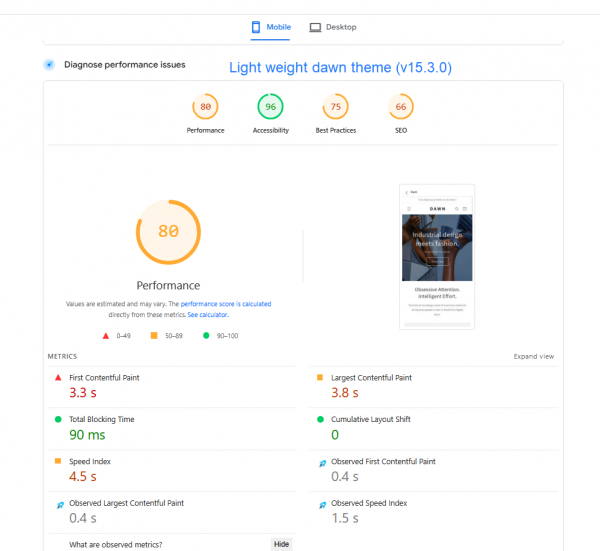
The impact goes beyond speed: optimized
images help your products rank higher on Google, appear in image searches,
and attract buyers who are actively searching.
Remember: image optimization isn’t a
one-time task. As your Shopify store grows, make it a habit to compress,
rename, and audit your images regularly. The result? A store that looks
professional, loads instantly, and converts visitors into customers more
effectively.
Start with your top-selling products
today, optimize their images, and watch as your store becomes faster, more
visible, and more profitable. Image
optimization is not a one-time task it’s an ongoing process that should be
woven into your Shopify growth strategy. Every product photo, banner, carousel,
or blog image you upload plays a role in how shoppers experience your store and
how search engines rank it. The difference between a store that loads in two
seconds and one that drags at five seconds could mean a 30% drop in
conversions. Likewise, the difference between ranking on page one of Google or
being buried on page three often comes down to the technical details, such as
image SEO.
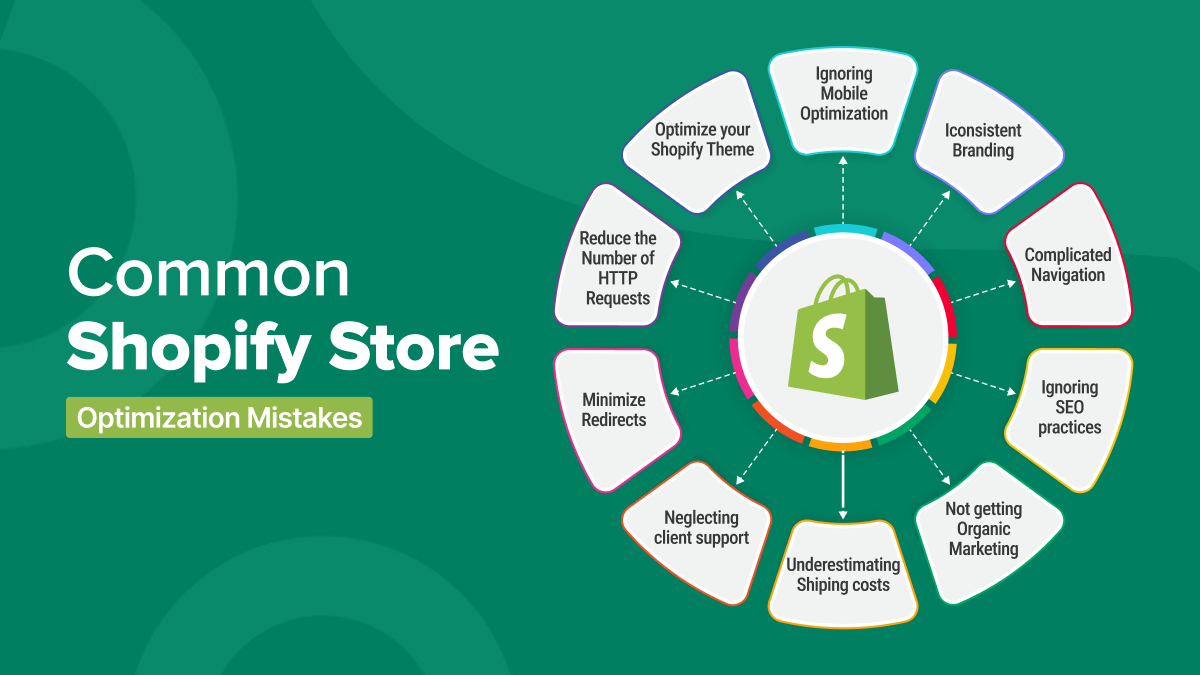
What
makes image optimization so powerful is its ability to impact three critical
areas simultaneously: user
experience, SEO visibility, and brand trust. A lightning-fast
store ensures that customers don’t abandon carts due to slow load times. Alt
text and descriptive file names ensure that your products appear in image
search results, driving organic traffic without ad spend. High-quality visuals
showcase professionalism and make customers feel confident in purchasing from
you.
The
good news is that Shopify makes it relatively straightforward to optimize
images, whether manually or through automation tools. Apps like Crush.pics,
TinyIMG, and SEO Image Optimizer can handle bulk compression, alt-text
generation, and next-gen file conversions automatically. For more advanced
stores, a combination of manual strategies (e.g., keyword-rich alt text) and
automation delivers the best balance between efficiency and precision.
 |
Watch Shopify Image Optimization Tutorial (Compression, Alt Text, Loading Speed, SEO) via YouTube
Looking
ahead, as eCommerce continues to evolve, image optimization will only grow in
importance. Google increasingly prioritizes page experience signals, and
competitors are getting smarter about technical SEO. To stay ahead, treat image
optimization as part of your ongoing content workflow. Every time you upload a
new product, launch a collection, or publish a blog post, review your images
through the lens of speed and SEO.
Remember: optimization doesn’t mean sacrificing
beauty. You can still use high-quality product images that capture attention
and emotions it’s about presenting them in the most efficient way possible.
Customers don’t just want fast websites; they want beautiful ones that feel
polished and trustworthy. By merging performance with aesthetics, you deliver
the best of both worlds.
So, as you continue growing your Shopify business, never overlook the power of a well-optimized image. It might seem like a small detail, but in the highly competitive eCommerce landscape, it’s the small details that often separate thriving stores from struggling ones. Start optimizing today, and watch your store’s traffic, conversions, and revenue climb.
Are you now ready to level up your Shopify store? bookmark this tab and apply what you've learnt. Check back for more real and working tips for your Shopify store, Comment and follow us by submitting your email for any new articles that will help your ecommerce business grow. Thank you.






0 Comments
We are happy to see your feedback