
SHOPIFY SETUP
 |
Watch How to Connect a Custom Domain to Your Shopify Store Via YouTube |
How to Connect a Custom Domain to Your Shopify Store
Your Shopify store’s default domain (yourstore.myshopify.com) works for getting
started, but it doesn’t look professional or trustworthy to potential
customers. A custom domain like www.yourstorename.com gives your
business credibility, strengthens your brand identity, and makes it easier for
customers to remember and find you. In fact, research shows that shoppers are
more likely to trust and purchase from stores with a clean, branded domain
name.
Connecting a custom domain to your
Shopify store is straightforward, but it requires the right steps especially if
you’re buying your domain from a third-party provider like GoDaddy, Namecheap,
or Google Domains. This guide will walk you through the step-by-step process
of connecting a domain, explain why it’s essential for your Shopify
success, and provide tips for avoiding common mistakes along the way.
In
other words, when you first launch your Shopify store, Shopify automatically
gives you a default domain that looks something like this: yourstore.myshopify.com.
as explained in the first paragraph of this article and while it works for
testing and setup, it’s not the type of web address that inspires trust or
credibility in customers. Imagine sending traffic to your store via ads, email
campaigns, or word of mouth, only to lose potential buyers because your domain
looks generic and unprofessional. That’s where a custom domain comes in.

The
good news is that Shopify makes connecting a custom domain straightforward.
Whether you purchase it directly through Shopify or a third-party registrar
like GoDaddy or Namecheap, you can link it to your store in just a few steps.
In this guide, I’ll walk you through the entire
process from buying your domain to configuring DNS settings and verifying your
connection. I’ll also share tips for avoiding common pitfalls
that many beginners face when setting up their first custom domain. By the end,
you’ll not only know how to connect your domain but also how to leverage it for
maximum trust, conversions, and long-term brand growth.

Before we dive into the setup process,
let’s clarify why a custom domain is important:
- Brand
Identity:
A unique domain name reinforces your store’s branding and professionalism.
- Customer
Trust:
Shoppers feel safer purchasing from branded domains than generic Shopify
links.
- SEO
Benefits:
Search engines favor branded domains, which can boost your store’s
visibility.
- Better
Marketing:
A clean domain looks more appealing on ads, social media, and email
marketing campaigns.
Step-by-Step Guide to
Connecting a Custom Domain
Step 1: Buy a Domain
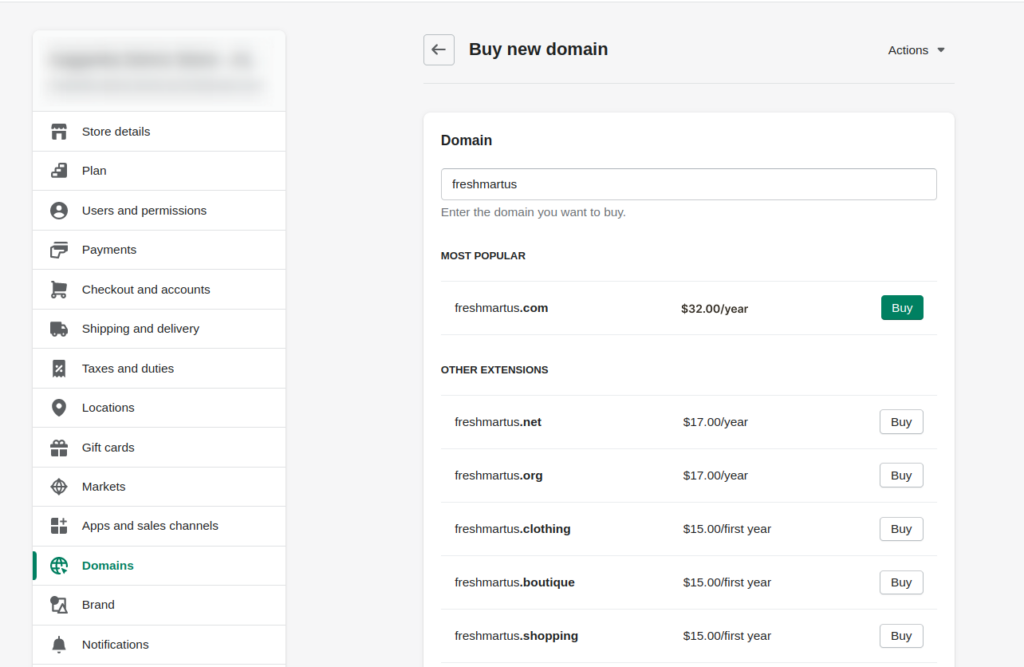
- Option
A: Through Shopify:
- Log
into your Shopify dashboard.
- Go
to Settings > Domains.
- Click
Buy new domain and search for your preferred name.
- Complete
purchase directly inside Shopify.
- Option
B: Through Third-Party Provider (GoDaddy, Namecheap, Google Domains, etc.):
- Purchase
your preferred domain from a registrar.
- You’ll
later connect it to Shopify by updating DNS records.
Tip: Always
choose a domain that’s short, easy to spell, and closely related to your brand.
Step 2: Add Domain to
Shopify
- From
your Shopify admin, go to Settings > Domains.
- Click
Connect existing domain.
- Enter
your domain (e.g., www.mystore.com) and click Next.
Step 3: Update DNS
Records (if using third-party provider)
- Log
in to your domain registrar (e.g., GoDaddy).
- Update
the following records:
- CNAME
record
→ Point to shops.myshopify.com
- A
record
→ Point to
Shopify’s IP address: 23.227.38.65
- Save
your settings.
This step ensures that your domain points correctly to your Shopify
store.
Step 4: Verify
Connection in Shopify
- Go
back to Shopify Domains settings.
- Click
Verify connection.
- It
may take up to 48 hours for DNS changes to fully propagate worldwide.
Step 5: Set Your
Primary Domain
- In
Domains settings, select your custom domain as the Primary
domain.
- Choose
whether to automatically redirect all traffic from yourstore.myshopify.com to your custom
domain.
Common Issues and
Troubleshooting
- Propagation
Delay:
It can take 24–48 hours for changes to reflect worldwide.
- Incorrect
DNS Records:
Double-check the A and CNAME entries.
- SSL
Certificate Pending: Shopify automatically provisions an SSL certificate,
but it may take a few hours.
Best Practices for
Choosing and Managing Your Domain
- Keep
it short and memorable (avoid hyphens and numbers).
- Use
a .com extension if available, it’s most trusted globally.
- Renew
your domain yearly to prevent accidental expiration.
- Set
up branded emailsA (e.g., support@yourstore.com) for added professionalism.
Conclusion
A custom domain is more than just a
URL, it’s the foundation of your brand’s online identity. By following the
steps outlined above, you can connect your domain to Shopify quickly and
confidently, ensuring your store looks professional, trustworthy, and ready to
scale.
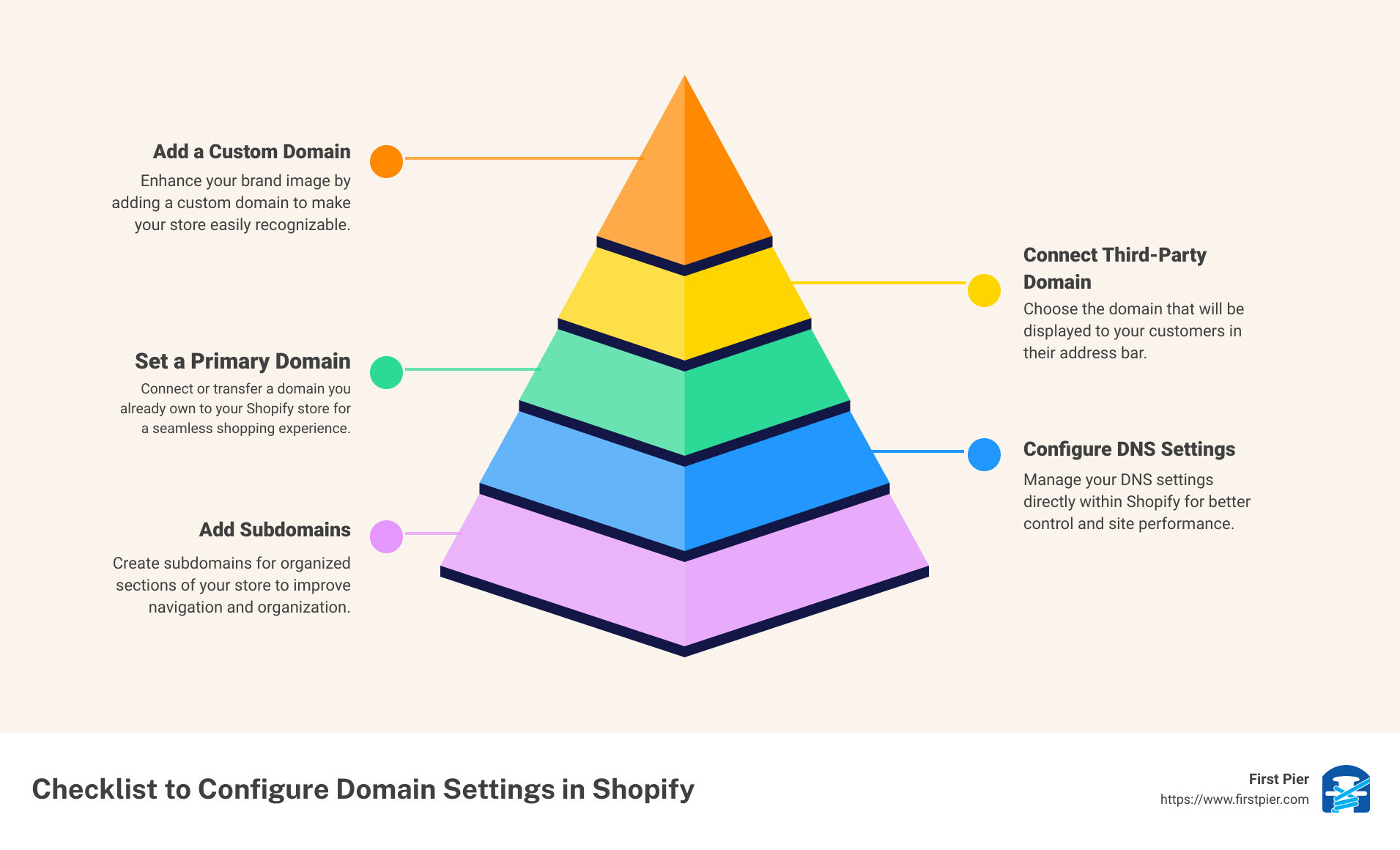
However,
your domain name is the front door to your online business it’s the first thing
customers notice when they interact with your brand. While Shopify’s default
domain may get you up and running, it doesn’t set you apart from millions of
other Shopify stores. A custom domain, however, gives your store a professional
identity that builds trust, improves discoverability, and increases sales
potential.
If
you’re serious about building a long-lasting eCommerce business, investing in a
custom domain is non-negotiable. It’s not just about having a nicer-looking URL
it’s about owning your brand’s identity and sending a clear signal of
professionalism to every visitor. Take the time today to connect your domain,
set it as your primary address, and watch how it transforms your store’s
credibility and customer trust.
Remember: First impressions matter. A clean,
branded domain signals to customers that your business is legitimate and
reliable. If you haven’t yet, now’s the time to invest in a domain name that
truly represents your brand and sets your Shopify store apart.
 |
How to Add a Custom Domain to Shopify (Step-by-Step)
In eCommerce, small details create big impressions. Your custom domain is one of those small but powerful details that can set you apart from competitors and bring you closer to the success you’re working toward.
Are you now ready to level up your Shopify store? bookmark this tab and apply what you've learnt. Check back for more real and working tips for your Shopify store, Comment and follow us by submitting your email for any new articles that will help your ecommerce business grow. Thank you.






0 Comments
We are happy to see your feedback