
SHOPIFY SETUP
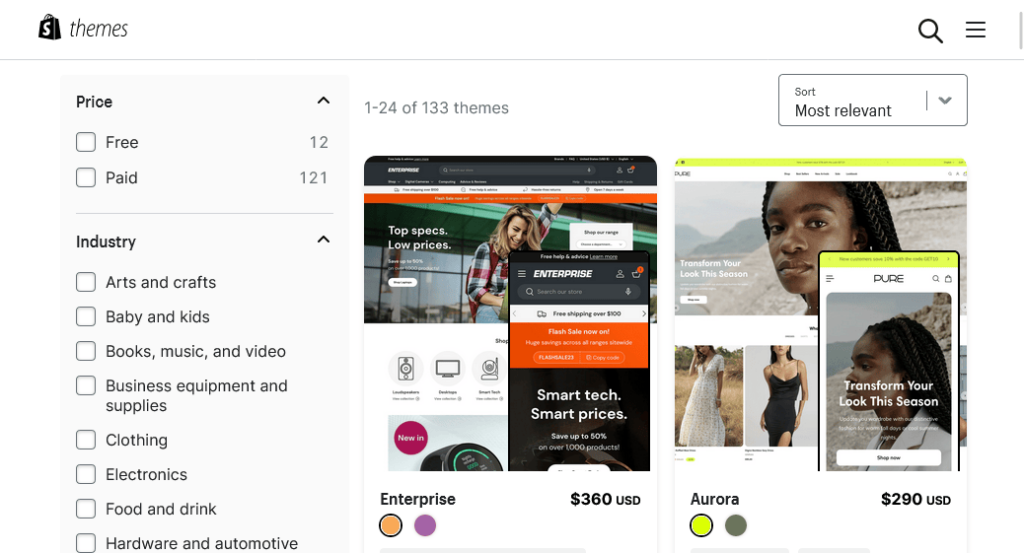
How to Choose the Perfect Shopify Theme for Your Niche.
Your Shopify theme is more than just a “skin” for your online store, it’s the foundation of your customer’s shopping experience. The wrong theme can make your store look unprofessional, load slowly, or confuse visitors. The right one can instantly build trust, showcase your products beautifully, and guide customers toward buying.
But here’s the tricky part, Shopify has
hundreds of themes, both free and paid, and not all of them will be a good
match for your business. If you choose based on looks alone, you might overlook
important features like speed optimization, mobile responsiveness, or product
display flexibility.
When it comes to building a profitable Shopify store, one of the most important decisions you’ll ever make is choosing the right theme. Your theme isn’t just about looks it’s the backbone of your online store.
It determines how your products are displayed, how customers navigate your site, and how fast your pages load. In other words, your Shopify theme is your digital storefront, and just like in the physical world, first impressions matter. Imagine walking into a store that’s cluttered, slow to browse, or poorly lit you’d probably walk right out.
The same principle applies online. A well-chosen theme can build trust, keep visitors engaged, and convert browsers into buyers. A poorly chosen one can drive potential customers away before they even see what you’re selling.
But here’s where many new merchants go wrong: they pick a theme based on how it looks, without considering whether it fits their niche, target audience, and long-term goals. Shopify offers both free and premium themes, but the best one for your store depends on much more than just price. For example, a fashion boutique needs a theme with strong visuals, quick product filtering, and sleek design, while a gadget store benefits more from technical specifications, structured product pages, and bold call-to-action elements.
Your niche should guide your theme choice because every audience has different expectations. In this guide, we’ll dive into how to choose the perfect Shopify theme for your niche, considering factors like speed, mobile optimization, customization, and user experience. By the end, you’ll know exactly what to look for and how to avoid common mistakes that hold many merchants back from reaching their full potential.
In this article, we’ll break down exactly how to select the perfect Shopify theme for your niche step by step so you get a theme that’s not only beautiful but also functional and conversion-focused.
Step 1: Define Your
Store’s Goals
Before you even browse the Shopify
Theme Store, you need to be crystal clear about your store’s goals.
Ask yourself:
- What
products are you selling?
- Who
is your target audience?
- Do
you want to focus on storytelling (like a fashion brand) or technical
specifications (like electronics)?
- Are
you planning to run large promotions often, or do you want a minimal
“boutique” look?
For example:
- If
you’re selling high-end handmade jewelry, you’ll want a theme with large
product images, elegant typography, and minimal distractions.
- If
you’re selling gadgets, you may prefer a theme with multiple product
specification sections and comparison features.
Tip: Your theme should make your products
the star, not overshadow them with too many flashy animations.
Step 2: Understand
Your Niche’s Visual Style

Different niches have different design
languages.
Here’s a quick guide:
Niche / Common Theme Traits
· Electronics: Grid layouts, technical details, clean
product displays
· Home & Décor: Minimalist design, warm color
palettes, spacious layouts
· Food & Beverage: High-quality imagery, storytelling
sections, recipe/blog integration
· Fitness & Sports: Bold typography, energetic colors,
dynamic image sliders
If your niche has an established style,
lean into it because customers are subconsciously expecting it.
Step 3: Prioritize
Mobile Responsiveness

Over 70% of Shopify traffic comes from mobile devices. A theme that looks perfect on desktop but clumsy on mobile will kill your conversions.
When previewing a theme:
- Test
it on your phone, not just on Shopify’s desktop preview.
- Check
if buttons are easy to tap, text is readable, and images load fast.
- Make
sure the checkout process is smooth without excessive scrolling or
pinching/zooming.
Step 4: Look for
Speed Optimization
 |
When evaluating a theme:
- Choose
themes that are “lightweight” with minimal unnecessary scripts.
- Check
user reviews for mentions of speed.
- Avoid
themes overloaded with sliders, pop-ups, and animations.
If you want to learn
more about keeping your store fast, see our guide on How to Speed Up Your
Shopify Store for Better Conversions.
Step 5: Make Sure It
Supports Your Product Range
Some themes are better suited for small
product catalogs, while others are designed for large inventories.
- If
you sell less than 10 products, pick a theme that focuses on
storytelling, large images, and detailed product descriptions.
- If
you sell hundreds of products, choose a theme with robust
navigation, filters, and search features.
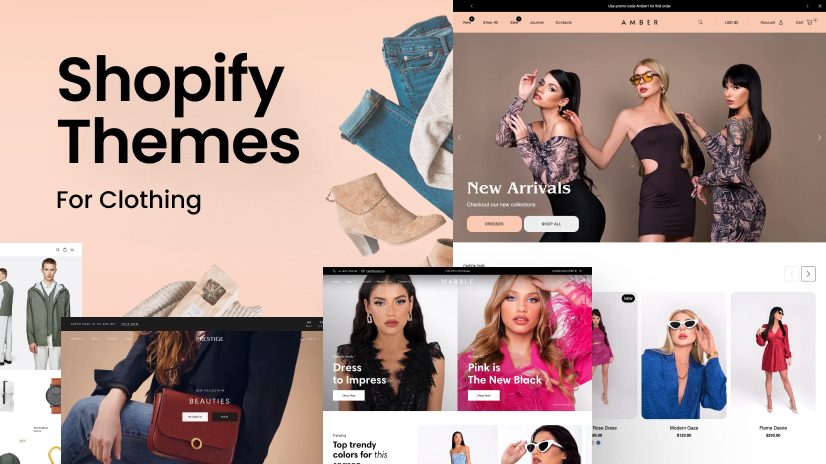
Example: A fashion boutique might look
stunning on the “Narrative” theme, but a large electronics retailer might find
it limiting because it lacks advanced filtering options.
Step 6: Consider
Built-In Features
Shopify themes can save you money if
they come with the right built-in features.
Look for:
- Mega
menus
for large catalogs
- Quick
view
for products
- Slideshow
banners
for promotions
- Integrated
social proof
(like product reviews)
- Customizable
homepage sections
The more your theme includes, the fewer
apps you’ll need which means faster load times and lower costs.
Step 7: Test Before
You Buy
Shopify allows you to test any theme
before purchasing. Use this trial period wisely:
- Upload
your products and images to see how they look.
- Check
how the theme handles long product descriptions.
- Test
on multiple devices and browsers.
Tip: Don’t rush this step. A week of
testing can save you months of frustration later.
Step 8: Factor in
Customization Needs
Even the perfect theme may need some
tweaking. Make sure:
- You
can change colors and fonts easily.
- The
layout is flexible enough to accommodate future changes.
- It
supports Shopify 2.0 features for easier customization without coding.
Step 9: Read User
Reviews
Before committing, check reviews from
other store owners:
- Are there complaints about speed or bugs?
- Is customer support responsive?
- Does the theme receive regular updates?
Step 10: When to Switch Your Theme

You might need a theme change if:
-
Your store looks outdated compared to competitors.
-
You’re expanding into new products or markets.
-
Your site loads slowly or breaks with app updates.
-
Customers report difficulty finding products or checking out.
Step 11: Balance
Budget and Value
Free themes like Dawn or Craft
can be great for new stores, but premium themes (typically $180–$350) often
offer more features and design options.
If you’re
still setting up your store, check out 10 Shopify Mistakes Beginners Make(and How to Avoid Them) to avoid costly errors early on.
Conclusion
Choosing the right Shopify theme isn’t just about picking something that looks nice. It’s about aligning your store’s design, functionality, and performance with your niche and customer expectations. The right theme can improve customer trust, boost sales, and make your store easier to manage as you grow. The right Shopify theme is one of the most important early decisions you’ll make. It affects how customers perceive your brand, how easily they find products, and whether they buy from you.

Selecting the right Shopify theme is not just about aesthetics it’s about aligning your store’s design with your brand, your products, and most importantly, your audience’s expectations. The best Shopify theme for your niche is one that blends beauty with functionality, ensuring that your visitors enjoy a smooth, professional shopping experience from the moment they land on your site.
Remember, customers often decide whether to stay or leave within seconds, so your theme plays a massive role in shaping that decision. Think of it as a silent salesperson: it sets the tone, guides the customer journey, and builds trust before you even say a word.
The key takeaway is this: don’t rush your decision. Test different themes, preview them with your actual products, and evaluate how they perform across devices. Mobile optimization is especially crucial since more than half of eCommerce sales now happen on smartphones.
Additionally, prioritize speed and functionality over flashy designs that may slow your site down. And above all, make sure your theme reflects your niche because a store that looks tailor-made for its audience will always outperform a generic, one-size-fits-all design.
Choosing the perfect Shopify theme is an investment in your brand’s long-term success. So take the time to research, experiment, and refine until you find the one that truly fits. Once you do, you’ll have a strong foundation that not only attracts customers but also converts them into loyal buyers who come back again and again.
Are you now ready to level up your Shopify store? bookmark this tab and apply what you've learnt. Check back for more real and working tips for your Shopify store, Comment and follow us by submitting your email for any new articles that will help your ecommerce business grow. Thank you.






0 Comments
We are happy to see your feedback